

Table of Contents
- What Happens to Your Automatic Feeder When WiFi Goes Out
- Smart Pet Feeder Offline Mode: How Local Schedules Work
- Automatic Feeder Battery Backup and Power Loss
- WiFi Pet Feeder Troubleshooting: Reconnection and Recovery
- Automatic Cat Feeder Without WiFi: Non-Connected Alternatives
- Testing Your Feeder Before You Travel: A Practical Outage Test
- Building a Backup Plan for Long Outages and Service Failures
- Frequently Asked Questions
Last Updated: October 7, 2026
What Happens to Your Automatic Feeder When WiFi Goes Out
When your WiFi drops, your feeder's behavior depends on its design, which directly affects automatic feeder reliability during wifi outages.
This distinction determines whether your pet eats while you're away.
Most modern smart feeders store your schedule locally, so the motor still triggers and dispenses at programmed times even when WiFi is down.
The key insight most guides miss: automatic feeder reliability during wifi outages depends on whether the feeder separates scheduling from connectivity.
Smart Pet Feeder Offline Mode: How Local Schedules Work
Offline mode means your feeder runs scheduled feedings without the cloud. Feeding times and portion sizes are stored on the device's memory, not synced from an app server.
When WiFi disconnects, a properly designed smart feeder works like a basic mechanical one: the motor activates at programmed times and dispenses the preset portion.
According to The New York Times Wirecutter's 2026 automatic feeder review, the most reliable feeders use local scheduling combined with battery backup.
In practice:
- Feeding times are stored in internal memory
- At each scheduled time, the motor activates automatically
- The impeller spins and dispenses the preset portion
- This happens whether WiFi is connected or not
The catch: some feeders lose their local schedule if the battery fully drains; others keep it indefinitely. Check your manual to confirm which yours does.
Automatic Feeder Battery Backup and Power Loss
Battery backup is your second line of defense when power fails, keeping the motor running even if your home loses electricity.
However, many feeders disconnect from WiFi on battery power by design, since battery life matters more than app access during an outage.
Battery backup behavior varies significantly:
| Feeder Type | Power Outage Behavior | WiFi During Outage | Remote Access |
|---|---|---|---|
| Battery-backed smart feeder | Continues preset schedule | Disconnects | Lost |
| WiFi-only feeder | Stops completely | N/A | Lost |
| Mechanical feeder with battery | Continues preset schedule | N/A | None |
The practical implication: with battery backup, your pet still gets fed during a power outage, but you can't monitor or control it remotely. For most situations, that's fine.
WiFi Pet Feeder Troubleshooting: Reconnection and Recovery
When WiFi returns, your smart feeder should reconnect automatically, but "should" isn't "will." Troubleshoot fastest by first identifying which outage you had, since symptoms and fixes differ.
Wi-Fi outage vs. power outage: a quick decision tree
Work through these questions in order:
- Are the lights on in the room? If no, you have a power outage. Skip to the power-outage branch. If yes, continue.
- Do other devices on your network have internet? Check your phone on Wi-Fi (turn off cellular data). If your phone also lost internet, the problem is your router or your internet service provider, not the feeder.
- Does the feeder's own display or indicator light still respond? If the feeder is dark but the room has power, the feeder lost power (unplugged, tripped breaker, or a failed adapter).
- Is the feeder powered but the app shows "offline"? That is a connectivity problem, not a feeding problem. The local schedule should still run.
| Situation | What still works | What you lose | First thing to check |
|---|---|---|---|
| Wi-Fi down, power on | Local preset schedule (on feeders with local storage) | App control, camera, notifications | Router and ISP status |
| Power out, battery backup present | Local preset schedule on battery | App control, camera, often Wi-Fi | Battery charge level |
| Power out, no battery backup | Nothing | Everything | Whether the feeder has a backup battery bay |
| Feeder unplugged or adapter failed | Nothing until power restored | Everything | Outlet, cord, adapter |
Reconnection steps after Wi-Fi returns
Most feeders reconnect on their own within 2-5 minutes. If yours doesn't:
- Confirm your router broadcasts on the band the feeder uses; many feeders only support 2.4 GHz, so a 5 GHz-only network won't connect.
- Move the feeder closer to the router or add a mesh node; weak signal commonly causes failed reconnection.
- Power cycle the feeder: unplug it for about 30 seconds, then plug it back in.
- Use the app's "sync" or "reconnect" control if one exists.
- Confirm your credentials; a changed Wi-Fi password must be re-entered in the app.
What to verify after reconnection
Reconnecting isn't the same as being correct. After the feeder is back online, confirm three things:
- Clock accuracy. Some feeders reset their clock after a full power loss; a wrong clock means every future meal is wrong. Compare the app's time to your phone.
- Schedule integrity. Confirm stored feeding times and portion sizes still match what you set.
- Missed-meal catch-up. Some feeders dispense a missed meal on reconnect; others don't. Know yours so you can decide whether to feed manually.
Automatic Cat Feeder Without WiFi: Non-Connected Alternatives
Not every owner needs smart features. For some households, a simple automatic feeder without WiFi is the better choice.
Non-WiFi automatic feeders use mechanical timers or battery-powered clocks. No app, no connectivity, no remote access, just simplicity and reliability.
Pet Feeder For Cats 6L Automatic Feed Dispenser With Camera →
They work anywhere regardless of WiFi quality, with no cloud services or app updates.
The trade-off: you lose remote feeding and video monitoring.
For pet owners in areas with unstable internet, non-WiFi feeders are genuinely superior. They eliminate the entire category of WiFi-outage risk.
Testing Your Feeder Before You Travel: A Practical Outage Test
Discover your feeder's weak points at home, not 500 miles away. Run this test at least a week before a trip so you can fix problems or arrange backup care.
Step 1: Confirm the schedule is stored locally
- Set a test feeding for 15 minutes from now.
- Unplug your Wi-Fi router (not the feeder).
- Wait for the scheduled time.
- Watch whether the feeder dispenses, and note the exact time it fires versus the time you set.
If it dispenses on schedule, the schedule is stored on the device. If it does not, the feeder depends on the cloud to run meals, and you need a backup plan before you travel.
Step 2: Test the battery backup
- Unplug the feeder from the wall outlet.
- Confirm it switches to battery power (look for a battery indicator on the screen or in the app).
- Wait for the next scheduled feeding.
- Confirm the motor activates and dispenses food.
Step 3: Measure what actually matters
One successful drop isn't proof of reliability. Record these numbers to compare against your feeder's claims and any backup:
- Successful dispensing rate: out of 10 test feedings, how many dropped food?
- Timing drift: how many minutes early or late did each feeding fire?
- Portion accuracy: weigh or eyeball the dispensed amount against the portion you set.
- Backup runtime: how long does it run on battery before stopping? Verify the manual's claim if you can.
- Recovery time: how long after Wi-Fi returns does it show online?
Step 4: Check the failure modes that look like success
A connected app can hide a feeder that is not actually feeding. Before you travel, rule out these non-connectivity failures:
- Jams and food bridging: kibble can bridge over the auger or impeller and stop flow even though the motor runs. Run a full cycle and confirm food reaches the bowl.
- Empty or low hopper: a feeder that fires on schedule into an empty hopper feeds nothing. Top it off and note how many days a full hopper lasts at your portion size.
- Depleted batteries: test with fresh batteries, and replace them on a schedule rather than waiting for a low-battery alert that may not arrive during an outage.
- Clock reset: after a full power loss, confirm the internal clock did not reset, which would shift every future meal.
- Missed-meal behavior: decide in advance whether you want the feeder to skip or catch up on a missed meal, and confirm which it does.
Building a Backup Plan for Long Outages and Service Failures
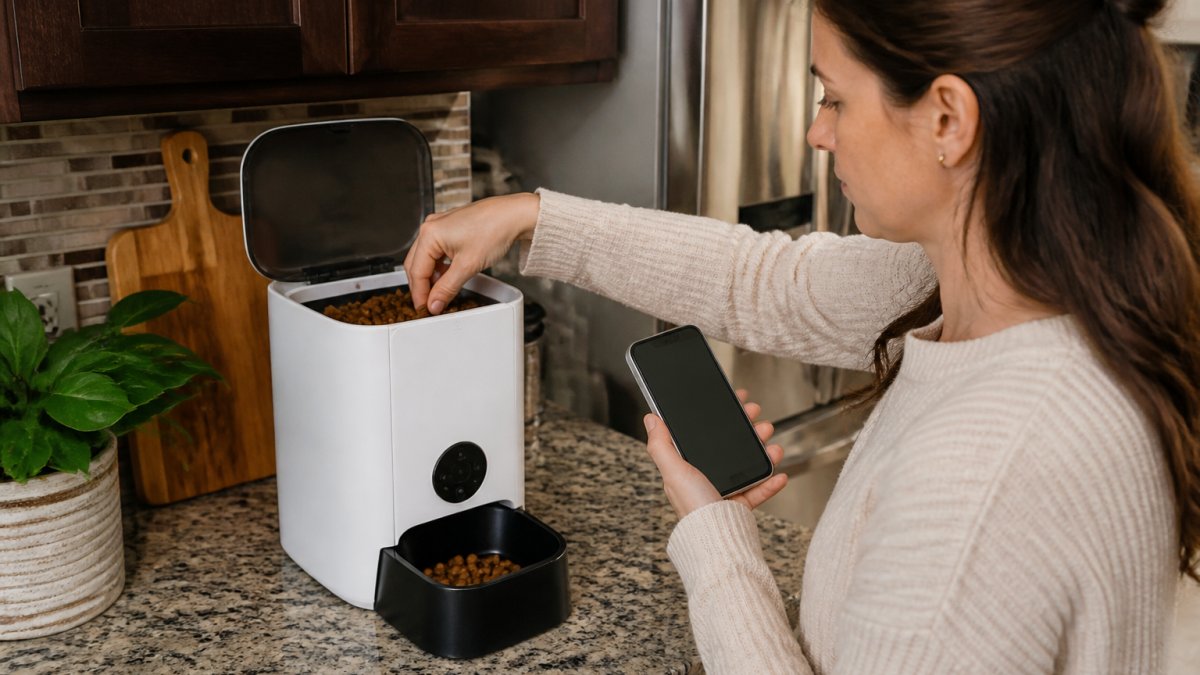
Even the most reliable feeder can fail. Service outages happen. Power can stay off for days. WiFi can go down at the worst time.
A backup plan protects your pet when your primary system fails.
Here are the most practical backup options:
Option 1: A second feeder (different type) Keep a simple mechanical feeder as backup. If your smart feeder fails, fill the mechanical one with dry food and set its timer. It costs $20-50 and takes 5 minutes, the cheapest insurance you can buy.
Option 3: A pet sitter or professional service Hire someone to feed your pet manually ($15-30 per visit).
The Mac & Ellies Smart Pet Automatic Feeder Water Feeder ($126.12) handles routine feeding, but it should never be your only system.
Frequently Asked Questions
Will an automatic pet feeder dispense food if WiFi goes out?
It depends on your feeder's design. Many smart feeders with preset feeding schedules continue dispensing food on their local schedule even when WiFi disconnects, because the feeding times are stored on the device itself. However, you lose remote app access during an outage. Some models experienced service outages in 2026 where pets went unfed, highlighting that not all cloud-dependent feeders maintain offline feeding capability. Always verify your specific model's offline behavior before relying on it during travel.
What is the difference between a WiFi outage and a power outage for automatic feeders?
A WiFi outage disconnects your mobile app and remote access but typically leaves your feeder's local schedule intact. A power outage stops the feeder entirely unless it has battery backup. Some feeders switch to backup batteries during power loss but disconnect from WiFi in battery mode, offering only partial functionality. For maximum reliability, choose a feeder with both local scheduling and battery backup to handle either type of outage.
Does my automatic feeder need WiFi to follow a feeding schedule?
No. Modern automatic feeders store feeding schedules locally on the device, so preset feeding times continue even without an internet connection. WiFi is primarily for remote app access and real-time notifications. This local scheduling feature is what allows pets to eat on schedule during WiFi outages. However, you won't receive alerts or be able to adjust portions remotely until connectivity returns, so plan your backup accordingly.
How can I test whether my feeder will work during an outage before leaving my pet alone?
Perform a controlled offline test at home: disconnect your feeder from WiFi (turn off your router or disable the feeder's WiFi connection), verify that the feeder dispenses food at its next scheduled time, and confirm the motor operates normally. Check that your feeder switches to backup battery power if a power outage occurs. Document the results so you know exactly what to expect. Repeat this test before any extended trip to build confidence in your feeder's reliability.
Pet outages happen. WiFi fails. Power goes down. But your pet still needs to eat. At Mac & Ellies pet shop, we recommend pairing a reliable smart feeder, like our Pet Feeder for Cats with dual-band WiFi and local scheduling, with a simple mechanical backup and a trusted person who can help if technology fails. This combination keeps your pet fed no matter what goes wrong.
0 comments