

Table of Contents
- Why Your Automatic Feeder Needs a WiFi Backup Plan
- Understanding Automatic Pet Feeder Battery Backup Systems
- How Smart Pet Feeder Offline Mode Works
- Step-by-Step: Setting Up Your Backup Plan
- Troubleshooting Smart Feeder Connectivity Issues
- Choosing the Right Feeder: Key Features for Reliability
- Frequently Asked Questions
Last Updated: October 4, 2026
Why Your Automatic Feeder Needs a WiFi Backup Plan
Your pet depends on consistent feeding schedules. When WiFi drops or power fails, that routine disappears.
The automatic pet feeder market has grown to $543.8 million globally, with an 8.8% annual growth rate through 2033, according to Persistence Market Research.

Here's what most people miss: a smart feeder without backup is just an expensive paperweight when connectivity fails. The solution isn't complicated, but it requires planning before you need it.
This guide covers everything you need to know about protecting your pet's feeding schedule. We'll walk you through battery backup systems, offline modes, and practical troubleshooting steps.
Understanding Automatic Pet Feeder Battery Backup Systems
Smart feeders work best with power and WiFi. But the best ones continue feeding when both fail. Battery backup is your first line of defense.
Most automatic feeders use either D-cell batteries or rechargeable lithium-ion packs as backup power. When AC power drops, the battery kicks in automatically. The feeder keeps dispensing food on its programmed schedule, even without electricity or internet.
Dual Power Supply Mechanisms
A dual power supply means your feeder has two independent power sources. The primary power comes from your home's electrical outlet.
Here's how it works: when the AC adapter is plugged in, the feeder draws power from your wall outlet. Batteries charge in the background.
According to Aitakon's smart feeder analysis, high-end WiFi-enabled feeders achieve 97.3% portion accuracy even during power transitions. That precision matters when your pet's health depends on consistent portions.
The Pet Feeder For Cats 6L Automatic Feed Dispenser With Camera from Mac & Ellies pet shop ($73.96) includes a dual-power design.
How Long Battery Backup Lasts
Battery life depends on three factors: battery type, feeder usage, and how many portions per day.
Most automatic feeders dispense 1-4 times daily. Each dispense uses a small amount of battery power. A typical setup with fresh D-cell batteries lasts 2-4 weeks of normal feeding cycles.
Lithium-ion batteries last longer, sometimes 6-8 weeks. But they cost more and require periodic recharging.
The key insight: battery backup doesn't need to last forever. It only needs to last until you get home or power returns. For trips under 7 days, standard D-cell batteries are sufficient.
How Smart Pet Feeder Offline Mode Works
Offline mode is where your automatic feeder wifi backup plan actually succeeds. This is the feature that keeps your pet fed when WiFi disappears.
When your feeder loses internet connection, it doesn't stop working. Instead, it switches to local automation. The feeder uses its internal memory to follow the schedule you programmed before you left home.
Local Automation vs. Cloud Automation
Cloud automation means your feeder relies on servers somewhere online. You open an app, send a command, and the cloud server tells your feeder to dispense food.
Local automation means your feeder stores the schedule inside its own memory. No internet needed. The feeder's internal clock triggers meals on schedule, regardless of connectivity.
Most modern smart feeders do both. They prefer cloud automation when WiFi is available. They fall back to local automation when the internet drops.
This redundancy is critical. According to The New York Times Wirecutter pet feeder guide, offline functionality prevents feeding gaps during ISP outages.
What You Can and Cannot Do Without WiFi
Without WiFi, your automatic feeder wifi backup plan has clear limits. Understanding these limits prevents panic during outages.
You CAN do this without WiFi:
- Dispense food on your pre-programmed schedule
- Use the physical buttons on the feeder itself
- Manually trigger portions by pressing the device
- Continue storing feeding history in local memory
You CANNOT do this without WiFi:
- Monitor your pet via the camera (if your feeder has one)
- Receive push notifications about feeding events
- Adjust portions remotely from your phone
- Check feeding logs in the app in real-time
The trade-off is simple: you lose convenience, not feeding. Your pet still eats. You just can't watch it happen from your phone.
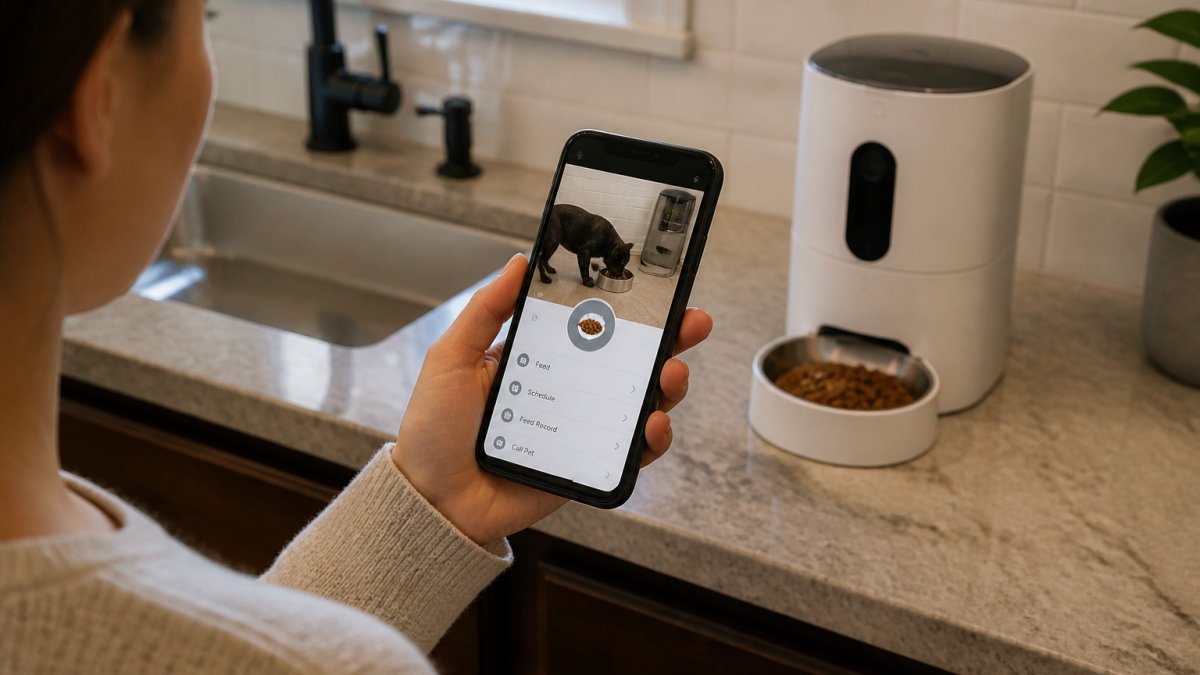
Step-by-Step: Setting Up Your Backup Plan
A solid automatic feeder wifi backup plan takes 20 minutes to set up. Do this before you travel.
Step 1: Program Your Feeding Schedule Before You Leave
Open your feeder's app. Set your exact feeding times and portion sizes. Include every meal your pet needs while you're away.
Example: if you're gone 3 days and your cat eats twice daily, program 6 meals total. Be specific with times. "8 AM and 6 PM" is better than "morning and evening."
Save the schedule. This stores it in the feeder's local memory. Now your feeder has the information it needs to feed independently.
Most feeders sync this to their servers too, but that's secondary. What matters is the local copy.
Step 2: Test Offline Mode in Your Home
Before you travel, simulate an outage. Disconnect your feeder from WiFi. Leave it unplugged from power for 10 minutes.
When you plug it back in, watch it for one feeding cycle. Does it dispense at the scheduled time? If yes, your offline mode works.
If the feeder doesn't dispense, check the app for error codes. Most feeders show a "local mode" indicator when running offline. Look for that confirmation.
This test takes 15 minutes and prevents disasters.
Step 3: Install Fresh Batteries and Check Power Adapter
Open your feeder and inspect the batteries. Are they old? Replace them with fresh D-cells before you leave.
Check the power adapter. Is the cable frayed? Is the plug loose? A failing adapter defeats the entire backup plan.
Pet Feeder For Cats 6L Automatic Feed Dispenser With Camera →
Plug the feeder in. Leave it plugged in while you're away. Batteries are backup, not primary power.
Step 4: Set Up a Cellular Internet Backup (Optional)
For maximum reliability, add a cellular backup. Services like Verizon's home internet backup cost $20-$30 per month and maintain connectivity when your ISP fails.
This is optional for short trips. For frequent travelers or anxious pet owners, it's worth the cost. Your feeder connects to cellular internet if WiFi drops, restoring app access and notifications.
A cellular backup requires a separate device (like a cellular router) and a subscription. It's not built into most feeders.
Troubleshooting Smart Feeder Connectivity Issues
Problems happen. Here's how to fix the most common ones.
Feeder Lost WiFi Connection
Your feeder shows "offline" in the app. This means it lost internet but is still feeding locally.
First, restart your WiFi router. Unplug it for 30 seconds, then plug it back in. Wait 2 minutes for it to fully restart.
Next, restart the feeder. Unplug it, wait 10 seconds, and plug it back in.
Open the feeder's app. Forget the WiFi network and reconnect manually. Enter your WiFi password again. Sometimes the connection just needs refreshing.
If this doesn't work, move your router closer to the feeder. WiFi range is typically 30-50 feet.
App Notifications Not Arriving
You're not getting push alerts when meals are dispensed. This is usually a phone settings issue, not a feeder issue.
Check your phone's notification settings. Go to the feeder app settings and confirm notifications are enabled. On iOS, check Settings > Notifications > [App Name]. On Android, check Settings > Apps > [App Name] > Notifications.
Restart the feeder app. Close it completely and reopen it.
If notifications still don't arrive, your WiFi connection is weak. The feeder may be too far from your router. Move the router or the feeder closer together.
Offline Mode Not Triggering
Your feeder is offline but not dispensing food. This means the local schedule didn't save properly.
Return to Step 1. Reprogram your feeding schedule in the app. Save it again. Make sure you see a confirmation message.
Test offline mode again. Disconnect WiFi and check if the feeder dispenses at the next scheduled time.
If the feeder still doesn't dispense, the internal memory may be corrupted. Factory reset the feeder using the physical reset button (usually on the bottom). Then reprogram the schedule from scratch.
Choosing the Right Feeder: Key Features for Reliability
Not all automatic feeders are equal. Some backup systems work better than others.
Jam-Resistant Design and Portion Control
A jam-resistant feeder is essential. When food gets stuck in the dispenser, your pet doesn't eat.
Look for feeders with:
- Stainless steel bowls (easier to clean, less food buildup)
- Wide dispenser chutes (less likely to clog)
- Automatic jam detection (alerts you when food is stuck)
Portion control precision matters too. Your pet needs consistent meal sizes, especially if they're on a diet.
According to Aitakon's performance benchmarks, high-end smart feeders deliver 97.3% portion accuracy. That means 97 out of 100 meals are the exact size you programmed. For pets with health conditions, this precision is critical.
The Mac & Ellies pet shop feeder offers stainless steel bowl options. Stainless steel resists corrosion and food residue better than plastic.
Capacity and Storage Considerations
A 6-liter capacity feeder holds about 3-4 pounds of dry food. For a single cat, that's roughly 10-14 days of food.
For longer trips, you need either:
- A larger feeder (12+ liters)
- A second backup feeder with additional food
- A pet sitter to refill the hopper mid-trip
Calculate your pet's daily food consumption. Multiply by the number of days you'll be away.
The Pet Feeder For Cats 6L model from Mac & Ellies pet shop works well for single cats or short trips.
| Feature | Why It Matters | What to Look For |
|---|---|---|
| Battery Backup | Powers feeding during outages | Dual power supply (AC + batteries) |
| Offline Mode | Feeds without WiFi | Local memory scheduling |
| Jam Prevention | Prevents food blockages | Stainless steel, wide chutes |
| Portion Accuracy | Consistent meal sizes | 95%+ accuracy rating |
| Capacity | Covers longer trips | 6L+ for single pets, 12L+ for multi-pet |
| WiFi Connectivity | Remote monitoring | Dual-band WiFi, strong signal range |
The best automatic feeder wifi backup plan starts with the right device and ends with testing before you travel.
Start by programming your schedule, testing offline mode, and installing fresh batteries.
Frequently Asked Questions
Do automatic pet feeders work without WiFi?
Yes. Most modern automatic pet feeders continue to dispense food on their programmed schedule during WiFi outages, using locally stored feeding schedules and battery backup. However, you won't receive app notifications or be able to send remote feeding commands when the WiFi is down. The feeder operates in offline mode automatically, ensuring your pet stays fed even if your internet goes out.
How long does battery backup last on a smart pet feeder?
Battery backup duration depends on your feeder model and battery type. Most feeders using D-cell batteries or internal lithium backups can maintain scheduled feeding for 24 to 72 hours during a power outage. To maximize battery life, avoid triggering remote feeding commands and let the feeder rely on its pre-programmed schedule. Always test your specific feeder's battery performance before relying on it for extended trips.
What should I do if my smart feeder loses WiFi connectivity?
First, restart your feeder by unplugging it for 30 seconds, then plug it back in. Check that your WiFi network is active and within range. Verify the feeder's password is correct in your app settings. If the problem persists, move your router closer to the feeder or consider a WiFi extender. Most feeders will continue dispensing food on their offline schedule regardless, so your pet remains fed even if you cannot access the app.
Is a cellular internet backup plan worth the cost for an automatic pet feeder?
A cellular backup plan (typically $20-$30 per month) is optional but valuable if you travel frequently and need real-time app access and notifications. If your primary concern is ensuring your pet gets fed during outages, the feeder's built-in battery backup and offline mode are usually sufficient. Reserve cellular backup for situations where you want continuous remote monitoring and the ability to adjust feeding remotely, rather than relying on pre-programmed schedules alone.
0 comments